Features
Everything Bodgeproof does, by area. Every feature is in the one price.
Equipment and inspections
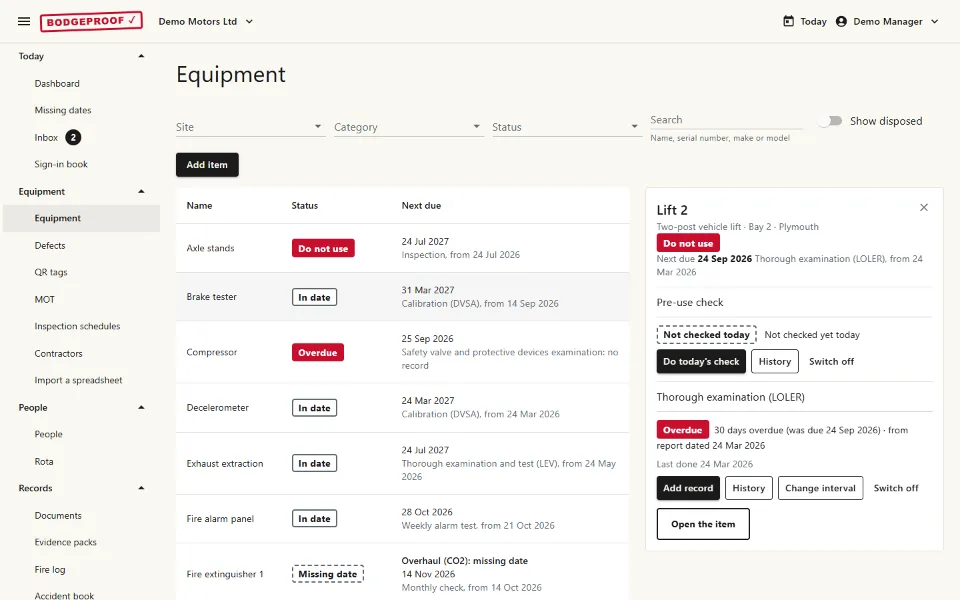
- Inspection schedules for lifts, jacks, compressors, extinguishers, extraction, MOT equipment and more, each saying how often and where the interval comes from
- In date, due soon and overdue for every item, by site and location
- Contractors' reports and certificates kept with the item and the inspection they cover
- Your own interval wherever the maker or your written scheme sets one
Defects and "do not use"
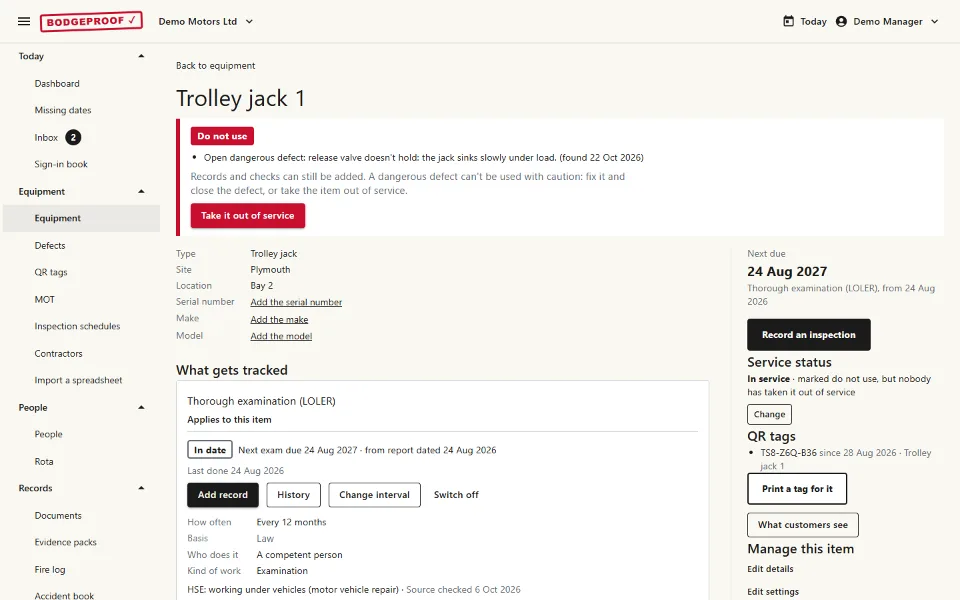
- Report a problem from a phone, with a photo
- A dangerous defect marks the item "do not use" until a manager closes it or takes it out of service
- A defect left past its fix-by date flags "do not use" too, as does an examination past a date the law, a written scheme or the examiner set
- You choose which overdue examinations stop kit, and a date from guidance alone shows as overdue
- A manager can say to use it with caution, with a reason and an end date, never for a dangerous defect, and that shows wherever the item does
People, certificates and first-aid cover
- Certificates with their expiry dates: first aid, MOT testers' annual training, and any type you add
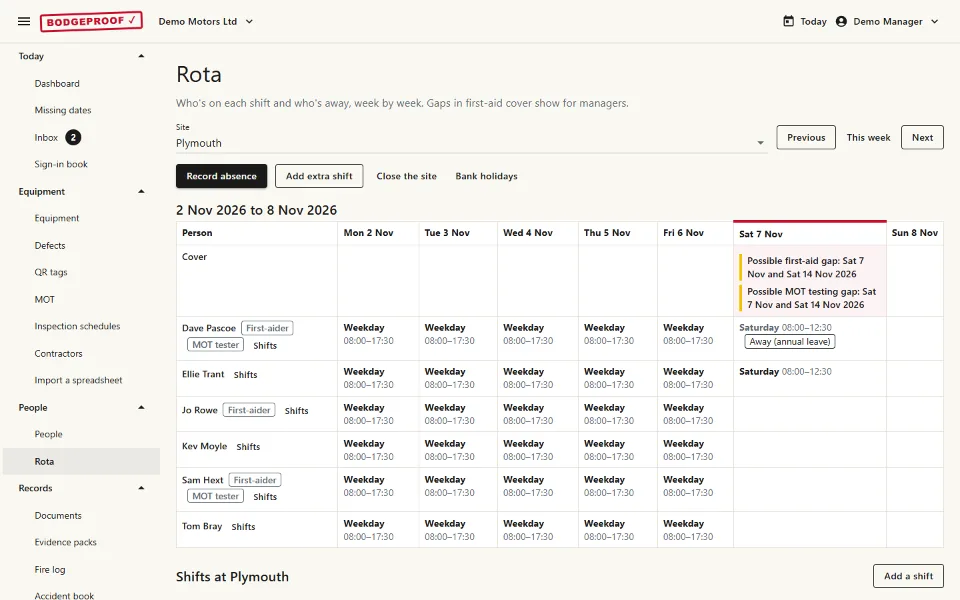
- The rota, with a warning when a shift has no first-aider
- Holidays and absences, and who covers
- Your first-aid needs assessment, worked through with you
QR stickers and daily checks
- Tough stickers posted by us, or print your own on labels
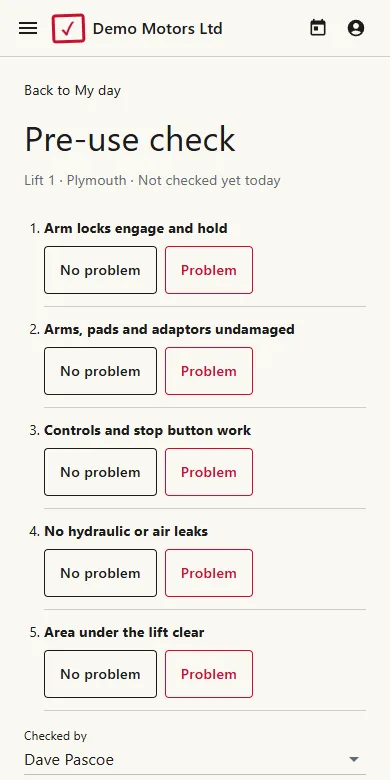
- Scan to do the day's check, see an item's status, or report a problem
- The page a sticker opens shows only what you choose
- Lifts have a daily check from the start; switch one on for anything else
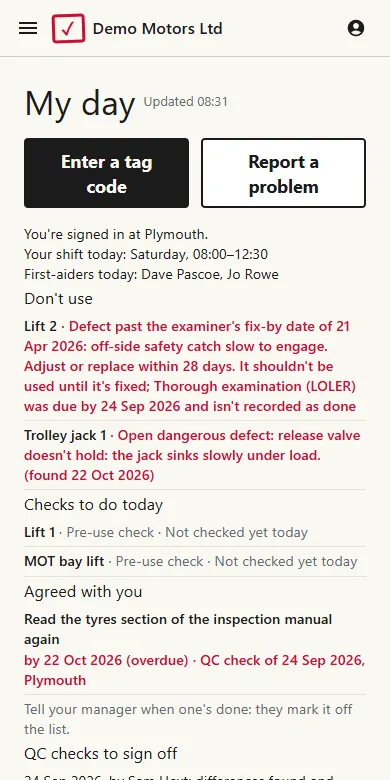
Today and "My day"
- Today: the workshop's checks, who's on site, cover gaps, and at an MOT station, "Can we MOT today?"
- "My day" for technicians: what not to use and why, the checks to do, and their own certificates
- A summary each week or month by email, with what was found overdue and what was sorted
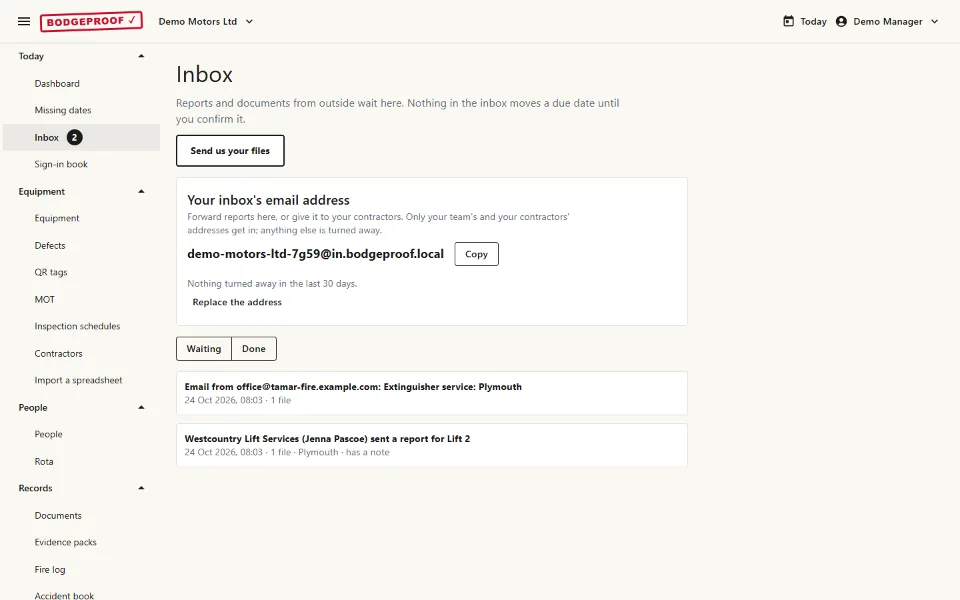
Contractors and the inbox
- A link for each contractor: they upload their reports with no login
- Reports emailed to your garage's own address wait in the inbox
- You check each one before it's filed against the item
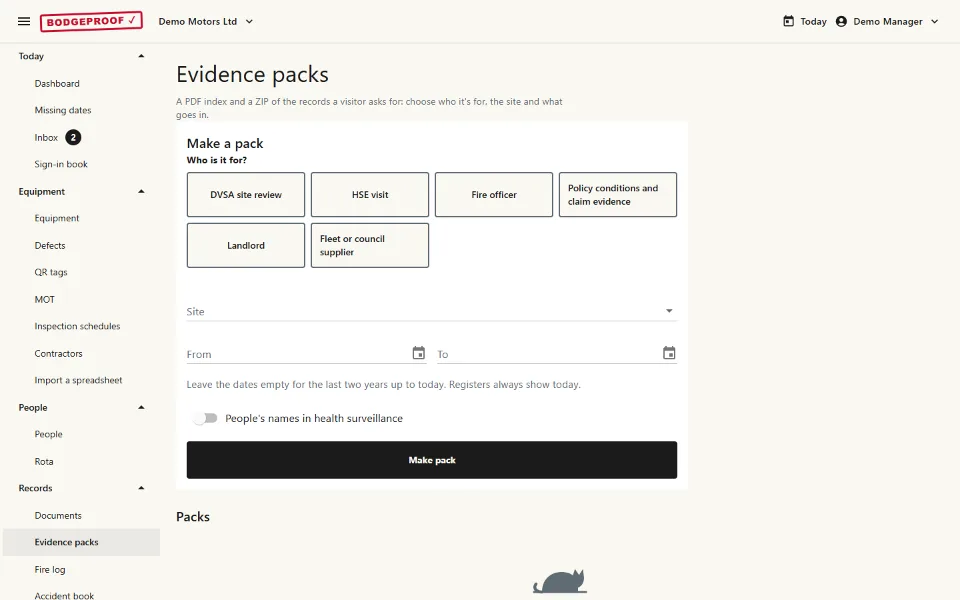
Evidence packs
- Packs for an HSE inspector, a DVSA site review or your insurer
- The audit trail: who did what, and when
- Export everything as files you can open, whenever you like
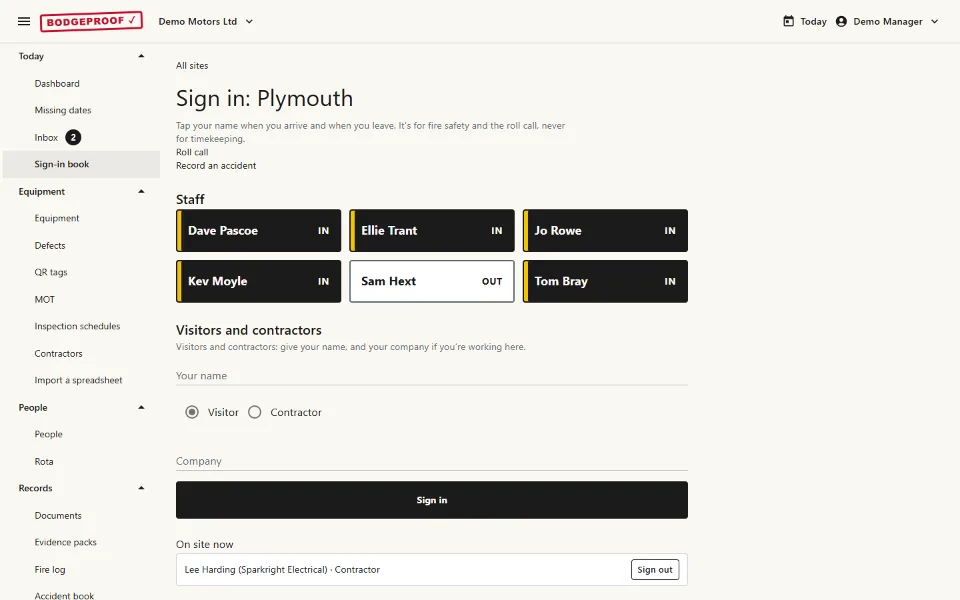
Sign-in, fire log and accident book
- Visitors and contractors sign in from a poster; staff sign in on a tablet with a PIN
- A roll call from the sign-in list if the fire alarm goes
- The fire log: alarm tests, drills and extinguisher checks
- The accident book, with RIDDOR's questions and when a report to HSE is due
For MOT stations
The MOT module sits beside the workshop, for each site that's an MOT test station.
- The DVSA visit log: each visit and what it found, with the findings tracked to the reply date
- Maintenance declarations and the breakdown log for the MOT equipment
- "Can we MOT today?": a tester signed in with training in date, the MOT equipment in calibration, nothing marked do not use
- Tester certificates, with the 31 March deadline for annual training
- Calibrations, QC checks with each tester's sign-off, and site audits
Your log, your rules
- Your garage's own log of what was done, and a reminder of what's due
- Every rule starts at a default you can change: intervals, due-soon windows, what makes kit "Do not use", how far ahead to book, and what MOT kit stops
- Each default says where it comes from: the law, HSE guidance, a standard, the maker or usual practice
- It doesn't inspect your kit or take on your duties: they stay yours
Your records
- Kept in the UK, and yours to export
- Everyone at the garage included, each with their own login
- Two-step login for anyone who wants it
- No tracking or advertising cookies